Introduction
Fantasma is a visual builder for Ghost themes. You design templates, preview the result, then publish to your Ghost site or download a theme ZIP.
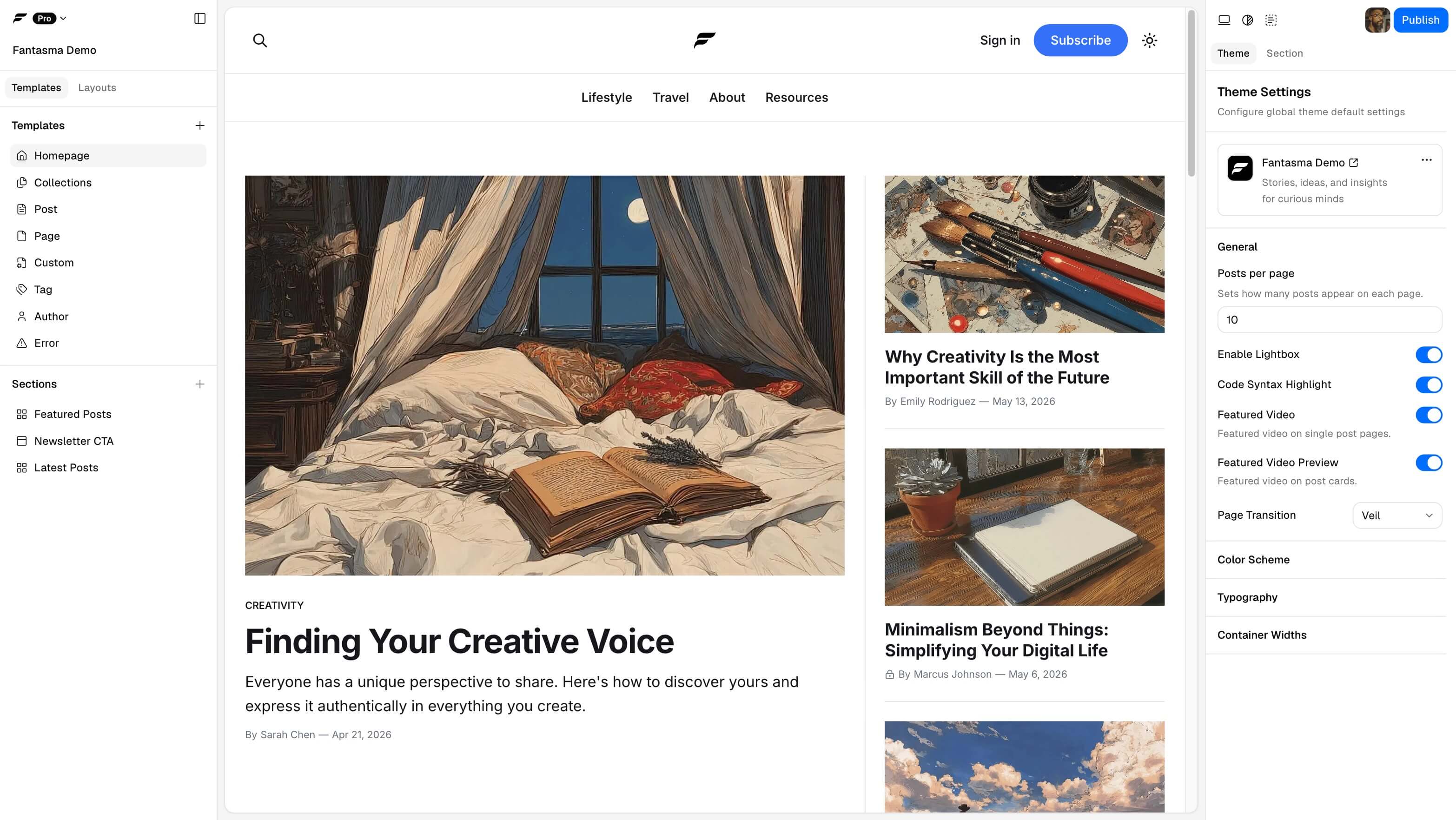
Most Ghost themes are edited in code. Fantasma gives you a safer route: build the same kind of Ghost-compatible theme visually, without opening .hbs files for everyday layout work.
Why use Fantasma
Use Fantasma when your site needs more than a stock theme setting can handle. You can shape a landing page, build a custom home page, adjust post and page templates, create collection templates, and reuse the same visual system across the theme.
How it works with Ghost
Fantasma builds the theme. Ghost runs the publication. Keep that split in mind before you download a ZIP or publish.
In Fantasma, you edit templates, layouts, sections, blocks, and theme settings that ship inside the downloaded or published theme. In Ghost Admin, you manage posts, pages, tags, authors, members, navigation labels, site identity, theme activation, and routes uploads.
Some changes use both sides. For a custom collection, Fantasma designs the template and generates the route file; Ghost content and internal tags decide which posts appear there.
A typical path from draft to live
- Build visually. Choose a template, add sections, edit content blocks, and adjust theme settings.
- Preview before shipping. Check structure, responsive layout, color mode, palettes, and demo or connected Ghost data.
- Publish or download. Send the theme to a connected Ghost site, which installs and activates it, or download a ZIP for manual upload.
- Finish in Ghost. Activate an uploaded ZIP, configure Ghost-owned settings, and upload
routes.yamlwhen your project needs custom routes.
Start with these articles
- Fantasma and Ghost explains the product boundary in more detail.
- Builder overview maps the main builder areas.
- Templates & structure explains templates, layouts, sections, and blocks.
- Download your theme as a ZIP covers the simplest file-based path.
- Builder reference lists every section and block the builder contains.
Common first questions
- Anonymous vs signed-in projects explains where your project is stored.
- Connect Ghost explains direct publish and connected preview.
- FAQ gives short answers and links into the full docs.